Entri Connect Common Issues - Basic Troubleshooting Guide
Last updated: August 14, 2025
This guide helps you diagnose and resolve the most common issues encountered when implementing Entri Connect. Follow the steps below to identify and fix problems quickly.
Entri Connect Modal Not Appearing
Problem: The Entri Connect modal fails to display when attempting to initialize the connection setup.
Solution:
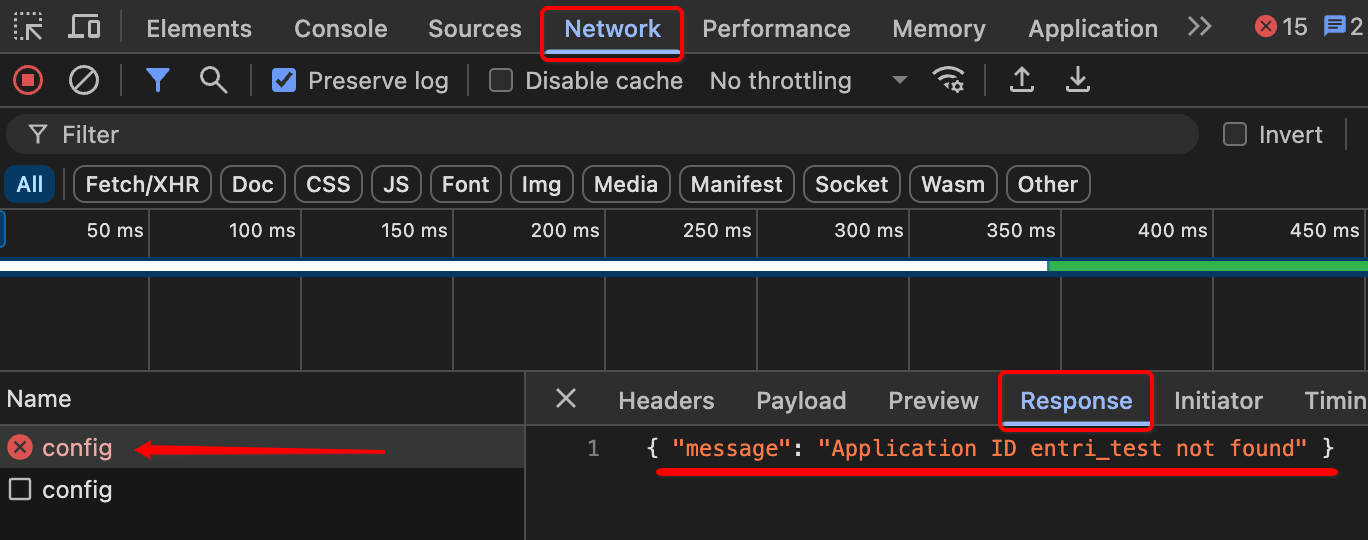
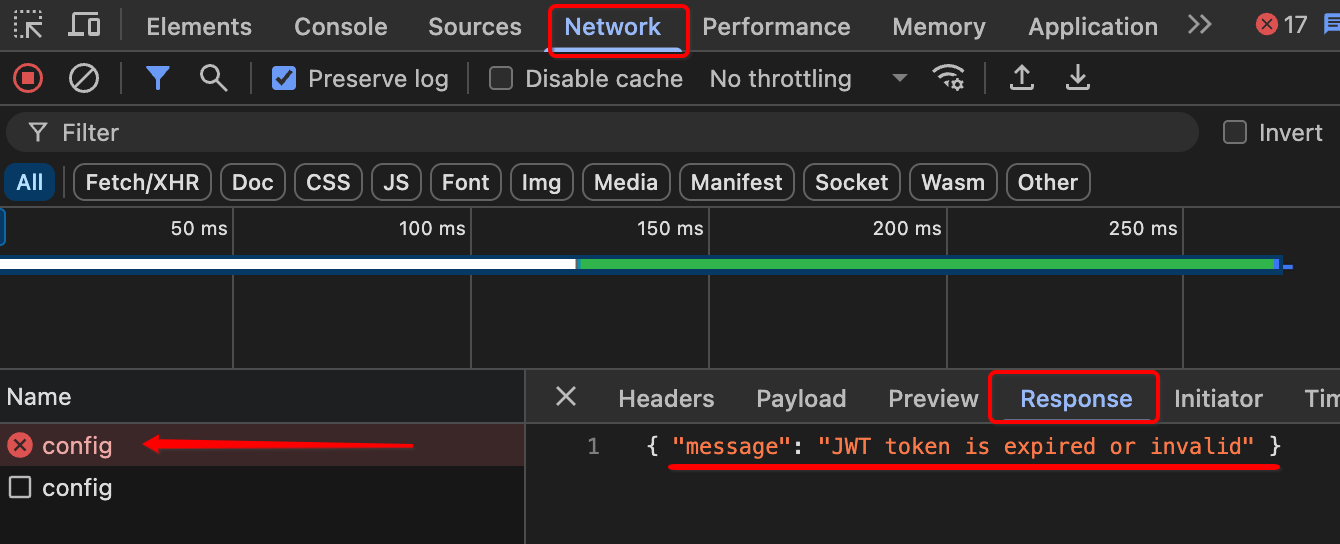
To diagnose this issue, you'll need to inspect the network requests made during the Entri Connect initialization process:
Open your browser's Developer Tools (F12 or right-click → Inspect)
Navigate to the Network tab
Clear any existing network logs by clicking the clear button
Attempt to run the Entri Connect setup that's failing
Look for the config API call in the network requests list
Click on the config request to open its details
Select the Response tab to view the server response
The response will contain error details explaining why the modal isn't appearing. The most common causes include:
Invalid or expired JWT token - Verify your authentication token is current and properly formatted
Non-existent AppId - Confirm your Application ID exists and is correctly specified in your configuration
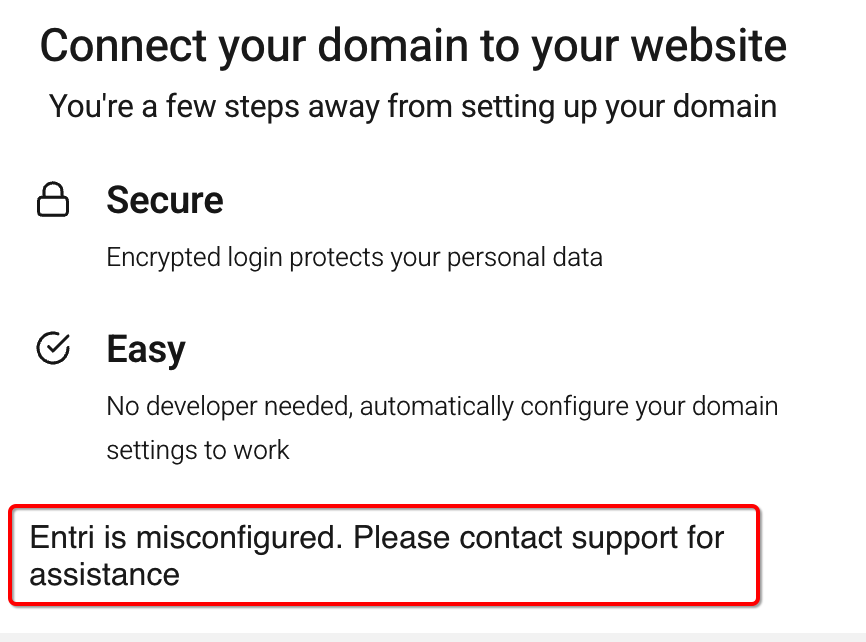
Entri Connect Modal Displays "Entri is Misconfigured" Error
Problem: The Entri Connect modal opens successfully but shows an error message indicating that Entri is misconfigured.
Solution:
This error typically occurs due to incorrect DNS record configuration in your setup. To investigate:
Open your browser's Developer Tools (F12 or right-click → Inspect)
Navigate to the Network tab
Clear any existing network logs
Run the Entri Connect setup process
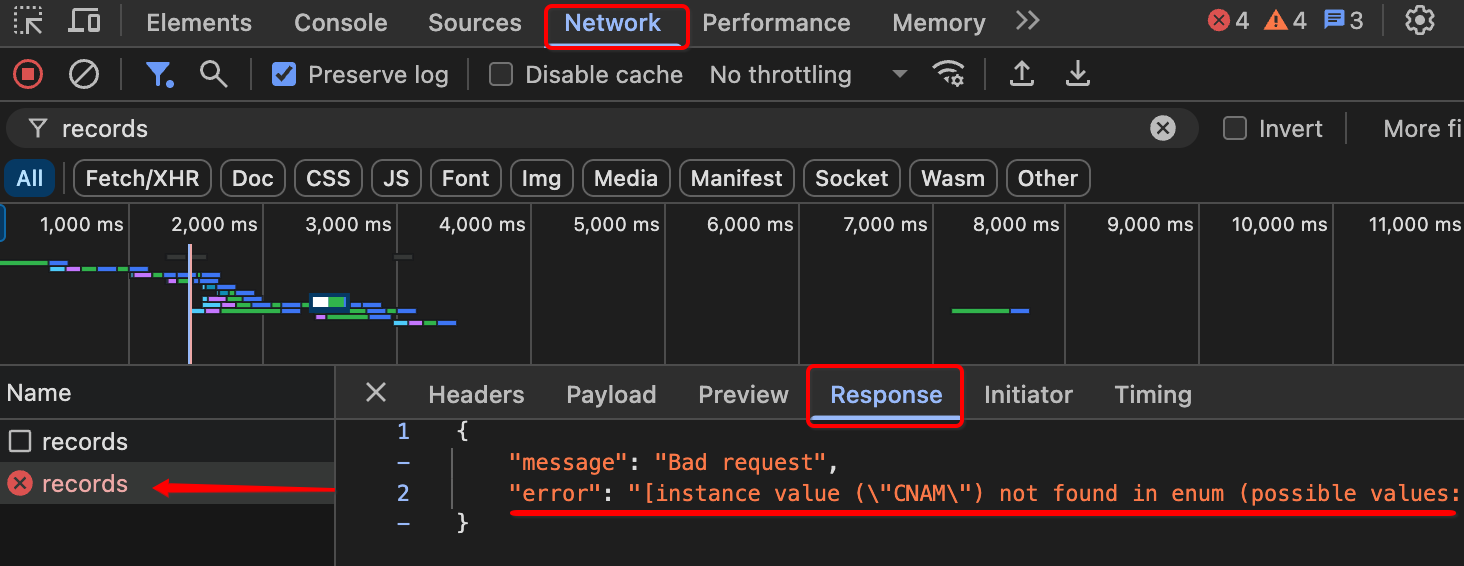
Locate the records API call in the network requests
Click on the records request to view its details
Switch to the Response tab to examine the returned data
The response will show validation errors related to your DNS records configuration. Common issues include:
Incorrect dnsRecords values in your config object
Malformed DNS record formatting
Invalid domain specifications
Review your dnsRecords configuration against the API response to identify and correct any mismatched or invalid entries.
Additional Troubleshooting Tips
Check browser console for any JavaScript errors that might interfere with modal functionality;
Most issues can be tracked in the Network tab by checking the Entri API responses, as it usually returns a clear error message, like the ones seen above.
Need additional help? Contact our support team through the Entri dashboard or visit our help center for more resources.