How to cancel Squarespace auto-renew for domains registered through Entri
Last updated: May 22, 2026
If you have a domain registered with Squarespace through Entri that you no longer need, you can cancel auto-renewal to avoid being charged next year. For the domains registered through Entri, you can only manage the billing through our dashboard.
If you need to manage DNS records, you will need to access your Squarespace account. To have access to your Squarespace dashboard, please check this article.
Before canceling the domain or removing the auto-renewal please note the following if you have any service connected ot that domain:
If you would like to keep the service active, point a new domain to that service before the expiration date.
If you plan to use your domain elsewhere, you don’t need to cancel it. You can point it to where you want to use it or transfer it to a new host instead.
If you’re canceling a domain to use a different one, and you have a website, help your visitors learn your new domain. You can set a primary domain and disable auto-renewal on the domain you no longer want. This helps direct traffic to your site, while your new primary domain appears in the browser bar.
To remove the auto-renewal of the domain:
Use this link to receive a link in your email to access Entri's dashboard.
Type the email you used to register your domain.
Access the link you received in your email
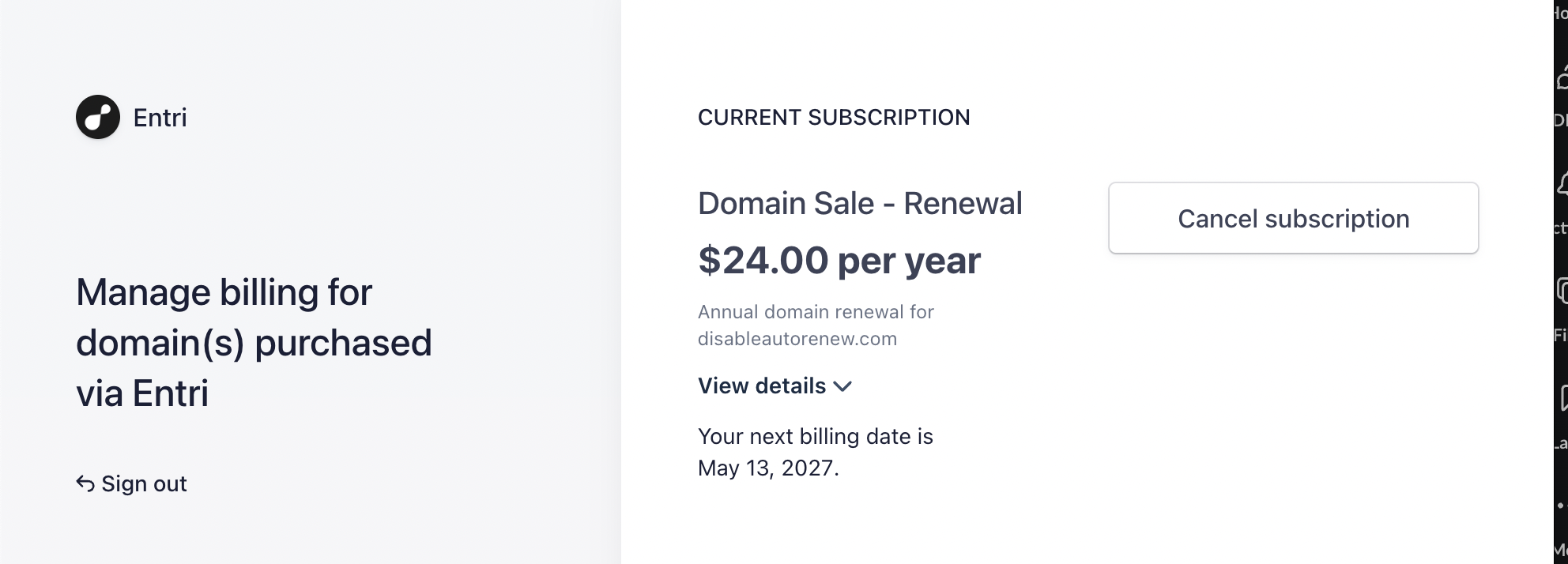
Click Cancel Subscription to cancel auto-renewal.
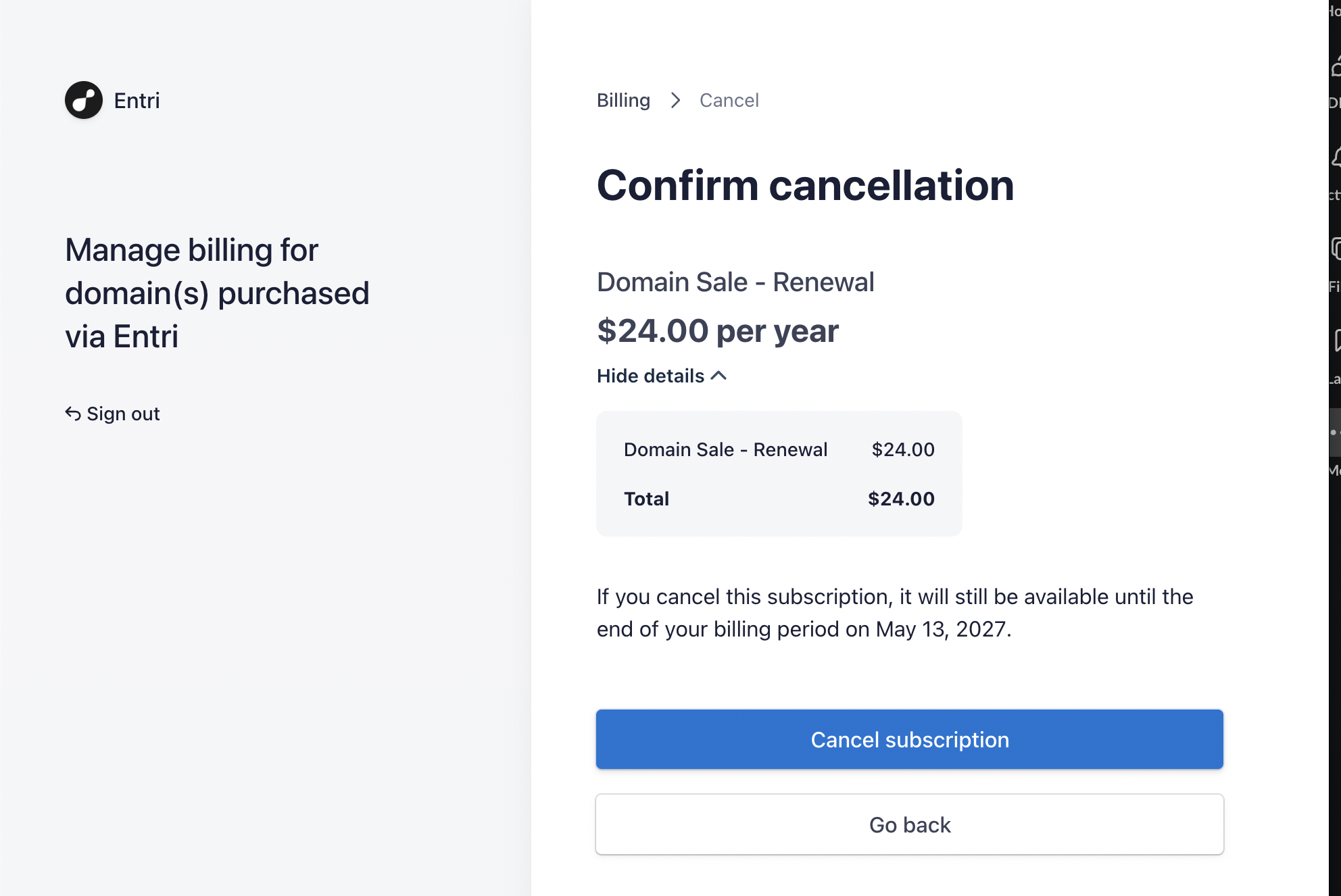
Then click on Cancel subscription.
Just a reminder — if you need assistance removing the auto-renew, Entri is the right point of contact for that. For anything else not related to billing, Squarespace has a specialized team ready to help you.